Make the whole article readable
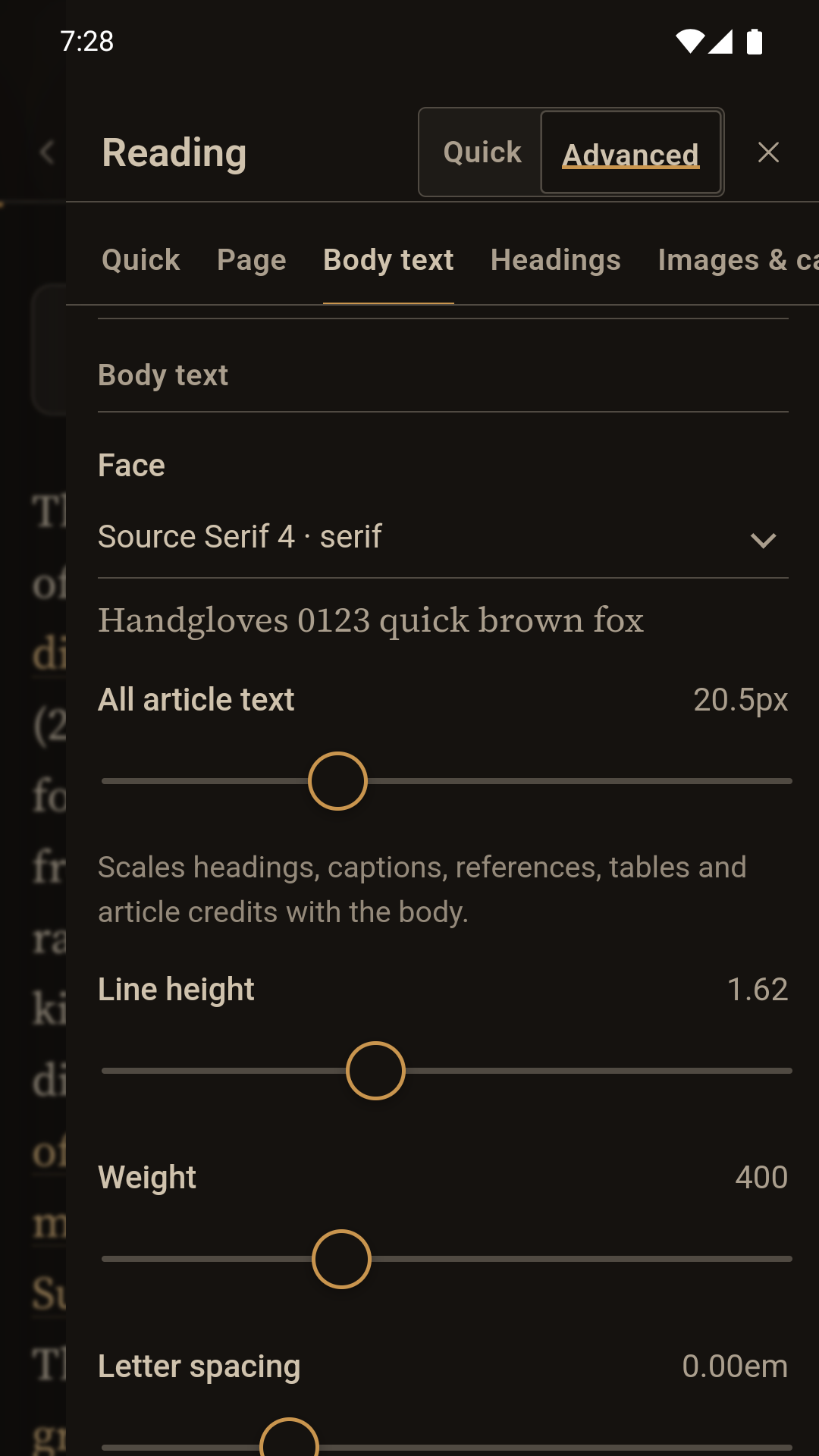
Choose text size, line spacing, line length and a readable typeface. Use the five-step Comfort Setup if you would rather answer plain questions than tune controls.
A typography-first Wikipedia reader
Page Light turns an information-dense web page into a quiet reading space. Read free with four complete styles and one whole-page text-size control. Your first seven days also open all 22 themes, Extra dim and the complete Premium reading desk—without a card or automatic charge. Keep Premium on Android for one $3.99 lifetime purchase.
Available first for Android and Chromebook. Mac, iPhone and iPad editions are coming next.
No accountNo sign-up between you and the article.
Focused readingSearch, choose and read without distractions.
No ads or analyticsYour reading is not the product.
Premium offline readingSave article text and eligible images to the device.
Comfort before decoration
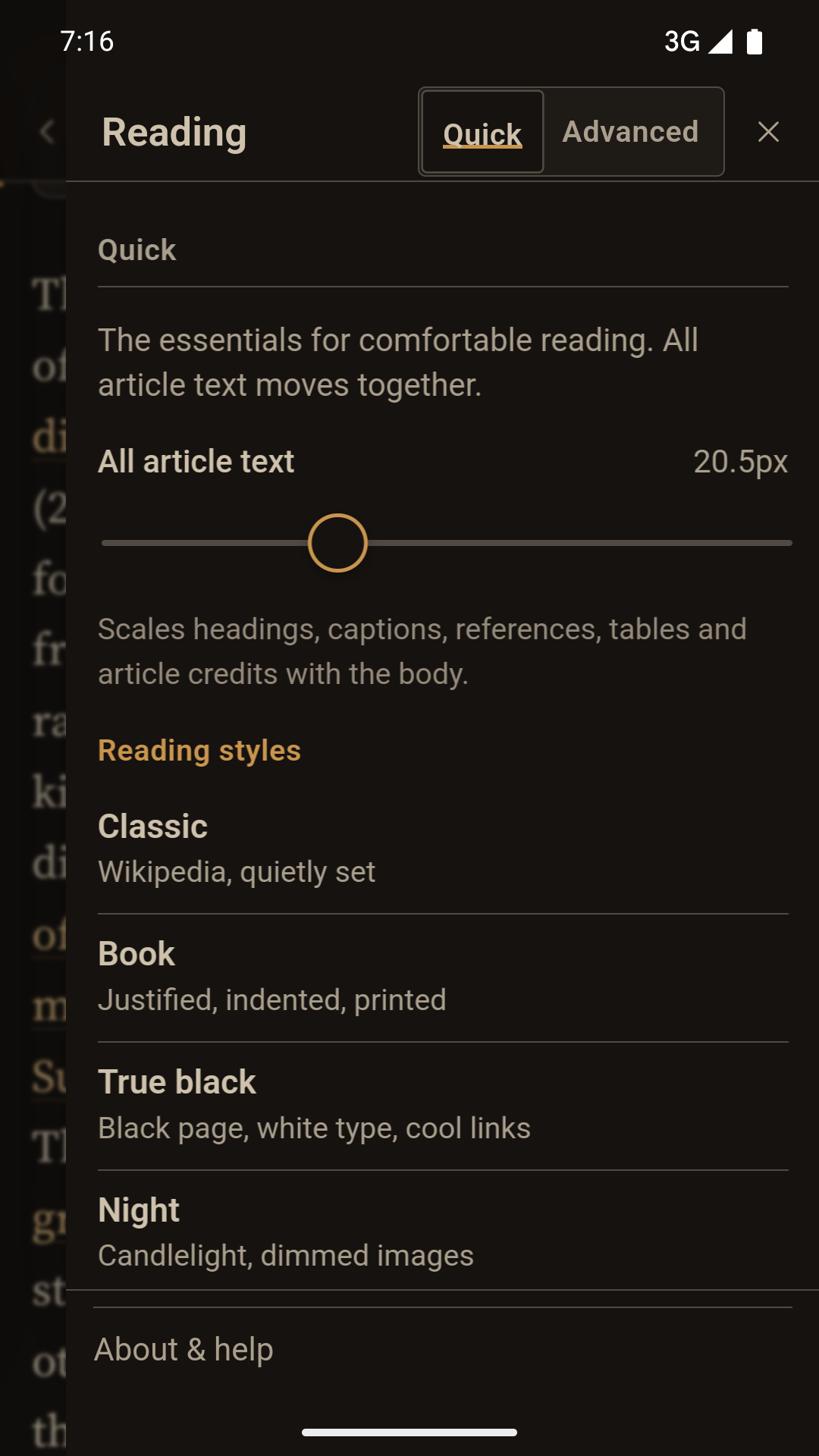
The most useful adjustment is first: one slider enlarges body text, headings, captions, tables, references and credits together. Images keep their own screen-fitted size, so larger type never makes a photograph spill off the page. Quick controls stay simple; Advanced keeps the full typography desk one deliberate step away.
Choose text size, line spacing, line length and a readable typeface. Use the five-step Comfort Setup if you would rather answer plain questions than tune controls.
Article images fit the available width and height without distortion in portrait or landscape. Captions, tables and quick facts reflow for the article’s language rather than being discarded. Every displayed image carries its individual source and licence.
Premium saves an article’s text and eligible images on the device. The free reader keeps one online reading list, and Page Light never deletes that list or existing downloads when the trial ends.
Find a phrase, open an available translation, share an article or copy a citation from one contextual menu. The reading toolbar stays calm.
Simple when you want it
Home keeps four free styles and the same everyday text-size control found behind Aa Controls. During the seven-day Premium trial, More themes opens 22 complete light, paper, dim and true-dark themes plus every precision control. Make a few adjustments, watch Home respond, then open any article to see them on genuine typography, images, captions, tables and facts.
The short manual
Page Light is designed to be understood by using it. These are the few ideas worth knowing.
Search Wikipedia, continue reading or choose something from your library and recent articles.
Below recent reading on Home, start with All article text or one of four free styles. The Premium trial also opens all 22 palettes, Extra dim, named colours, spacing and finer options under Aa Controls.
Use the bookmark for the free on-device reading list. Premium also prepares article text and eligible images for offline reading, with clear ready, still preparing and Retry states.
The three-dot menu contains Find, available languages, Share, Copy citation and Random. Video and audio remain online-only.
The article is still the article
Page Light preserves the material that helps you understand what you are reading. Images open inside the app and stay fitted to the screen. Compact fact tables stack on small screens while genuinely wide tables scroll safely. Infoboxes become expandable Quick facts. Citations include a return to your place.
Premium’s colour assistant measures the page as it is actually painted after warmth, contrast and Extra dim, then can choose the most accessible black or white article text with one explicit tap. Premium reading profiles can be exported and imported as small local files without a Page Light account or server.
Media is shown only when its metadata clearly permits reuse. If a file is non-free or its licence cannot be established, Page Light links to its original Wikipedia file page rather than guessing.
Private by architecture
On the deviceSettings, collections, history, reading positions and offline article bundles stay locally by default.
In your handsReading profiles and reader-data backups are local files you can export and restore. A reader-data backup contains settings, profiles, reading lists and history; downloaded offline article files remain on their original device.
On the networkSearches and article requests go directly to Wikimedia. Page Light has no advertising, analytics or content proxy.
Choose the official store edition for your device when its link appears.
See app availability